
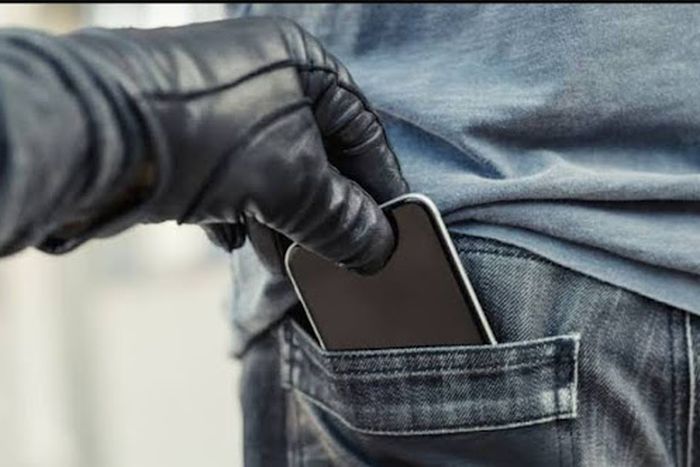
How to Block a Stolen Phone in Nigeria
Having your phone stolen is not just a frustrating experience, but it can also lead to lost personal information and financial loss. In Nigeria, mobile phones have become essential tools for communication, business, and managing everyday life. Thus, knowing how to block a stolen phone is crucial for protecting your personal information. In this guide, we will walk you through the steps to block a stolen phone in Nigeria, using simple language and practical examples.
Main Steps
1. Notify Your Mobile Network Provider
The first step in blocking a stolen phone is to contact your mobile network provider. Major networks in Nigeria include MTN, Glo, Airtel, and 9mobile. Here is how you can reach out:
- MTN: Call their customer care on 180 or visit their website.
- Glo: Call 121 or visit a nearby Glo store.
- Airtel: Call 111 or visit an Airtel shop.
- 9mobile: Call 200 or go to a 9mobile office.
When you call, be prepared to provide your SIM card number, phone number, and identity details for verification.
2. Provide Necessary Information
Once you reach your service provider, inform them that your phone has been stolen. They will ask for various information, including:
- Your phone number
- Your SIM card number
- The IMEI number of your phone (this is often found on the phone’s box or in the original purchase receipt)
Tip: To find your IMEI number, you can dial *#06# on your phone before it gets stolen. This is a useful move to make ahead of time.
3. Block Your SIM Card
After providing your details, your mobile provider will guide you on how to block your SIM card. It’s essential to do this because even if your phone is stolen, the thief can still use your SIM card for calls and data services. Blocking your SIM will prevent unauthorized usage.
4. Report to the Police
Reporting the theft to the police is important, especially if you will need to make an insurance claim or if your phone was expensive. Go to the nearest police station and provide the following:
- Your identification
- A description of the phone, including the brand, model, and colour
- The IMEI number (if available)
Ensure you obtain a copy of the police report as this may be useful for further actions.
5. Use Phone Tracking Services
If you had set up any phone tracking application such as Find My Device for Android or Find My iPhone for iOS, use it to locate your device. Here’s how:
- For Android: Visit Google Find My Device and log in to your Google account. You’ll be able to see your phone’s last location, and you can also lock or erase it.
- For iPhone: Go to iCloud.com and log in to your Apple ID. Here, you can track the phone, mark it as lost, or erase data remotely.
6. Inform Your Contacts
Finally, notify your family and friends that your phone has been stolen. This way, if they receive any strange messages or calls from your number, they’ll know it’s not you. You might even warn them about potential scams if someone tries to impersonate you.
Tips
- Always Backup Your Data: Regularly back up important files, photos, and contacts. This way, if your phone is lost or stolen, you won’t lose valuable information.
- Keep Your IMEI Handy: Write down your IMEI number and keep it in a safe place. This number is crucial for blocking your phone.
- Install Security Apps: Consider using security apps that can help you track your phone, lock it remotely, and wipe all your data in case of theft.
- Be Cautious: Always stay aware of your surroundings and keep your phone secure to prevent theft.
Conclusion
Blocking a stolen phone in Nigeria is essential for protecting your privacy and preventing unauthorized usage. Whether you contact your network provider, file a police report, or utilize tracking apps, each step is crucial in minimizing the damage caused by theft. Always remember, prevention is better than cure, so take proactive measures to keep your device safe in the first place.
Frequently Asked Questions
1. Can my stolen phone be recovered?
While the chances of recovering a stolen phone depend on several factors, using tracking services like Google Find My Device or iCloud can help. However, it’s essential to act quickly by reporting the theft.
2. How much does it cost to block my SIM card in Nigeria?
Most mobile network providers in Nigeria allow you to block your SIM card for free when you report it as stolen. However, remember that you may need to pay a fee to get a replacement SIM.
3. What should I do if I find my stolen phone?
If you locate your stolen phone, contact your mobile network provider to unlock it and obtain assistance. Avoid confronting the thief alone – rather involve the police for your safety.
